Important considerations before you start
| Corporate booking channels: | We do not recommend enforcing a breakage deposit for corporate channels like TravelIT |
| Airbnb: | NightsBridge does not send breakage or security deposit information to Airbnb, as Airbnb uses its own How to add a breakage deposit for Airbnb |
| Booking.com: | NightsBridge only sends breakage deposit settings to Booking.com if our team created your listing on your behalf. Otherwise, damage deposits are managed directly on your Booking.com Extranet. |
How to set up your breakage deposit in NightsBridge
- Go to your Additional Fees section
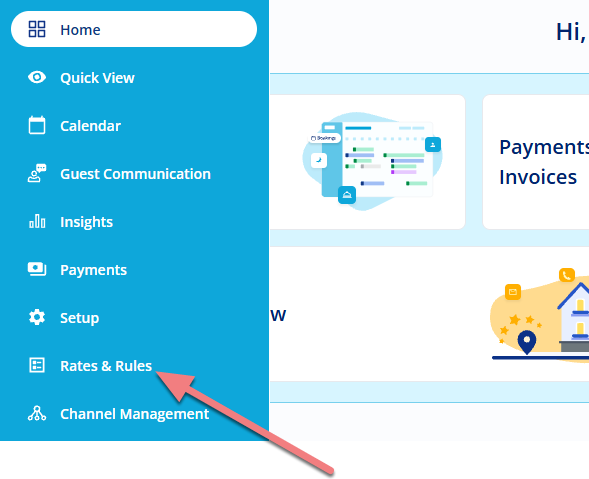
In your main menu, select Rates & Rules,
Click on Policies.
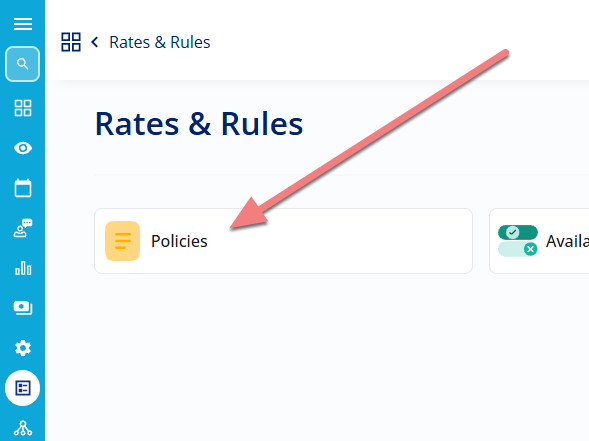
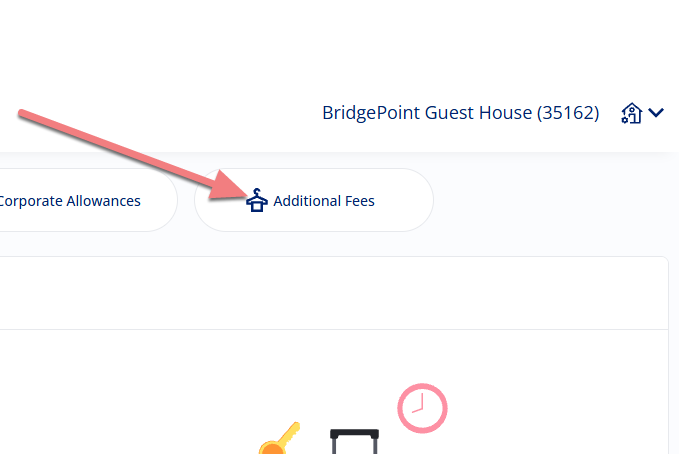
and choose Additional Fees.
- Set your breakage deposit amounts
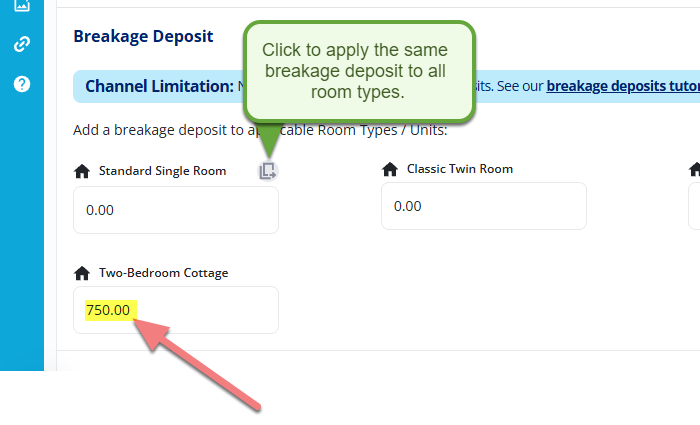
Scroll down just below the Cleaning Fee section to find the Breakage Deposit settings. Enter the deposit amount for each specific room type.
- Save your changes
Click Save.
How to inform guests about your deposit policy
Because guests appreciate knowing about deposit requirements prior to booking, it is best practice to include your breakage deposit details in your booking terms and conditions.
You can update these under General Policies on NightsBridge HOME so guests can review your terms prior to completing their reservation.
Tutorial Guidance: How to set up deposit and cancellation policies (Terms & Conditions)
Checking your connected booking channels
While NightsBridge shares your policy details with connected booking channels and local integrations, channels process and display rules according to their own guidelines.
We always recommend double-checking your property listing and policy settings directly on your connected channel and extranets to ensure everything displays accurately.